Troubleshooting Common Car Bluetooth Connection Problems
Bluetooth technology has become essential for modern driving, enabling hands-free calls and wireless audio streaming. However, connection issues can disrupt this convenience. Here's a practical guide to resolving the most frequent car Bluetooth problems.
1. Device Not Found During Search
Possible Causes:
-
Phone's Bluetooth visibility disabled
-
Compatibility issues between phone and car Bluetooth versions
-
Outdated software on either device
Quick Solutions:
-
Enable "Discoverable" or "Visible to Other Devices" on your phone
-
Check for software updates for both your car's infotainment system and phone
-
Restart both devices' Bluetooth functionality
-
Consult your vehicle manual for specific pairing instructions
2. Unstable Connection & Frequent Disconnects
Common Reasons:
-
Wireless signal interference from other electronic devices
-
Physical obstructions or excessive distance between devices
-
Low battery levels affecting Bluetooth performance
Effective Fixes:
-
Move electronic devices (especially USB chargers) away from the dashboard
-
Ensure your phone is within the recommended range (typically 3-10 feet)
-
Charge your phone adequately before connecting
-
Delete old paired devices from your car's memory to reduce conflicts
3. Incorrect Pairing Password Issues
Typical Scenarios:
-
Entering wrong PIN code during initial setup
-
Mismatched passcodes between devices
-
Previous failed pairing attempts causing errors
Resolution Steps:
-
Common default codes are "0000," "1234," or "1111"
-
Delete existing pairing records from both devices and restart the process
-
Consult your vehicle's manual for the correct pairing procedure
-
Some modern systems verify pairing through on-screen confirmation instead of passwords
4. Poor Audio Quality & Distortion
Root Causes:
-
Weak Bluetooth signal strength
-
Incorrect audio settings configuration
-
Competing audio applications on your phone
-
Network connectivity issues affecting streaming services
Quality Improvements:
-
Adjust equalizer settings in both car and phone audio settings
-
Close background apps that might be using audio resources
-
For calls, ensure phone's microphone isn't obstructed
-
Check internet connection quality when using streaming services
Additional Troubleshooting Scenarios
System Freezes & Performance Issues:
-
Restart your car's infotainment system (often by holding the power button)
-
Perform a system reset according to your vehicle manufacturer's instructions
-
Visit authorized service centers for software updates or hardware diagnostics
Connection Priority Problems:
-
Set connection priorities in your phone's Bluetooth settings
-
Disable automatic connection to other known networks
-
Ensure only one active audio source is connected at a time
Proactive Prevention Tips
-
Regular Maintenance: Keep both systems updated with latest software versions
-
Proper Pairing Procedure: Always follow manufacturer-recommended pairing steps
-
Battery Management: Maintain adequate charge levels for optimal Bluetooth performance
-
Interference Reduction: Identify and minimize potential signal-disrupting devices in your vehicle
When to Seek Professional Help
If basic troubleshooting fails, consider:
-
Visiting your car dealership for system diagnostics
-
Consulting with your phone manufacturer for device-specific issues
-
Checking for vehicle-specific technical service bulletins
-
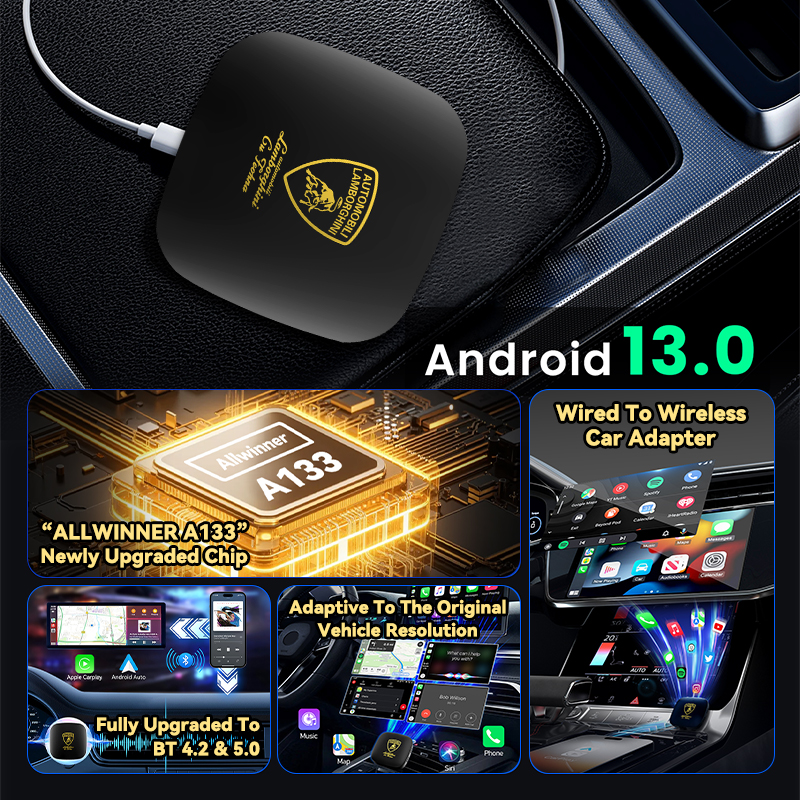
Exploring aftermarket solutions if factory Bluetooth systems are outdated
By understanding these common Bluetooth issues and their solutions, you can quickly restore your wireless connection and maintain optimal performance. Most connection problems can be resolved through simple troubleshooting steps, ensuring you enjoy uninterrupted connectivity for both safety and entertainment purposes.
Remember that persistence and systematic troubleshooting typically resolve most Bluetooth connectivity challenges, keeping you safely connected on the road.